Orange Cloud for Cloudflare
Native iOS Cloudflare client. OAuth login—no token paste. Manage DNS, Workers, R2/D1/KV, WAF & analytics on the go.
Listing details
HiCyou directory record
- Listed website
- o-c.do
- Directory record created
- Jul 6, 2026
- Last record update
- Jul 6, 2026
Listing information
- Overview
- 12 key features
- 7 use cases
This page describes HiCyou's directory record. It is not a security, ownership, or product-quality certification.
Review the external site before sharing sensitive information or making a purchase.
What is Orange Cloud for Cloudflare
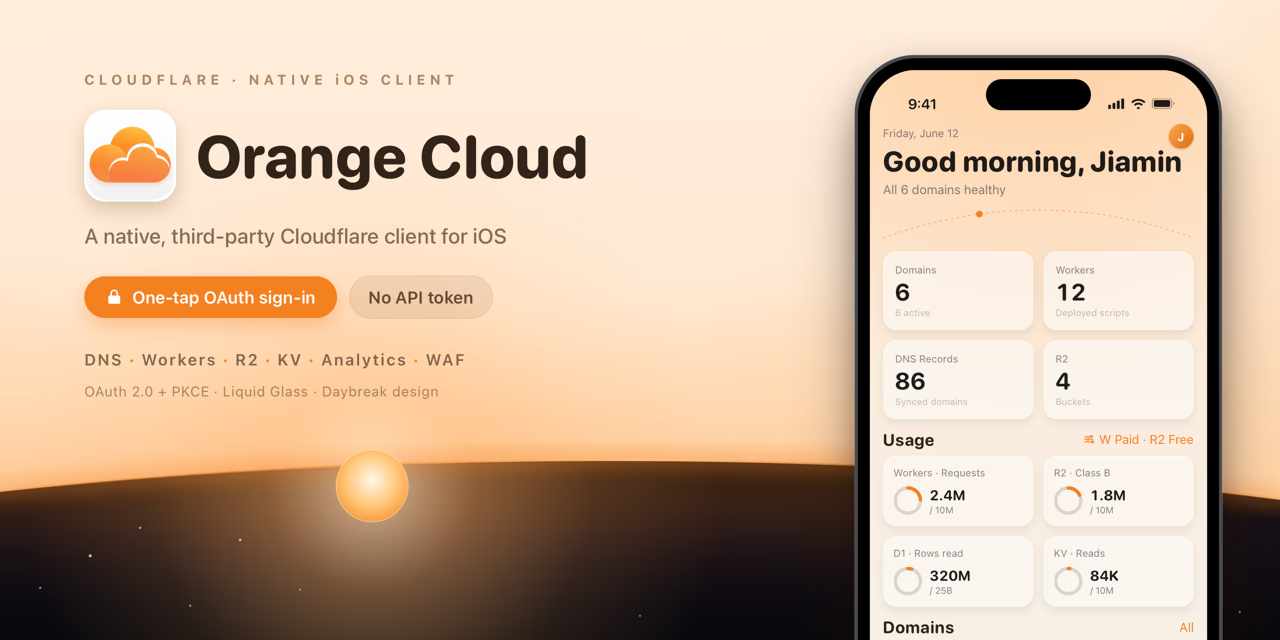
Orange Cloud is a native iOS client for managing your Cloudflare infrastructure. Unlike tools that require manually copying and pasting API tokens, Orange Cloud uses Cloudflare's official OAuth 2.0 + PKCE authorization flow—the same login experience as Cloudflare's own apps. All tokens are stored in the system Keychain and never touch your clipboard.
Manage multiple accounts side by side and switch between them instantly. Feature coverage spans the entire Cloudflare stack: full CRUD for Zones & DNS, Workers inspection with real-time Tail logs (WebSocket), R2 object browser, D1 SQL console, KV key-value editor, WAF custom rule toggling, Tunnel status monitoring, and traffic analytics charts powered by the Cloudflare GraphQL API (rendered with Swift Charts).
Deeply integrated with the iOS ecosystem: home screen Widgets with a dynamic dawn-to-dusk design, Dynamic Island Live Activity for streaming Tail logs, Control Center ControlWidget, Siri Shortcuts & App Intents, and CoreSpotlight indexing of your Zones and DNS records. Built on an iOS 17 baseline with progressive enhancements on iOS 18 / 26 / 27—Liquid Glass, adaptive sidebar navigation, and zoom transitions.
Free tier covers one account with full Zone/DNS access, 24 h analytics, and all Widgets. Pro unlocks multiple accounts, full storage features, Workers Tail, WAF, Tunnel management, and extended analytics.
Key Features
Use Cases
- Emergency DNS failover in the middle of the night — flip A records from your phone without opening a laptop
- Debug a serverless function on the go with live Workers Tail streaming
- Hot-update feature flags via KV console without redeployment
- Pull up 24 h / 7 d / 30 d traffic analytics charts during a meeting or investor call
- Quickly block an abusive IP or disable a misfiring WAF rule without touching the dashboard
- Ask Siri 'Check example.com status' to surface Zone health at a glance
- Glance at Zone status across all accounts from Control Center without unlocking your phone
Why do startups need this tool?
Most early-stage startups run their entire infrastructure on Cloudflare—domains, CDN, Workers serverless functions, R2 object storage, D1 databases. But Cloudflare Dashboard is web-only: when an alert fires at 2 AM or you need to flip a DNS record while boarding a flight, reaching for a laptop is the only option.
Orange Cloud closes that gap:
Respond anywhere: flip DNS, hot-update KV values, toggle WAF rules, or check Worker logs from your iPhone—no laptop required. Zero token risk: OAuth PKCE authorization means no API token to share, store in Slack, or accidentally commit. Permissions are granted per-scope using least privilege. Team-friendly: multiple account support lets the CTO and infrastructure engineer each log in with their own Cloudflare credentials independently. Real-time observability: Workers Tail streams live logs directly to your phone; traffic analytics charts surface request spikes before they become incidents. Low cost to start: the free tier covers every core need for an early-stage team. Pro is a lightweight monthly upgrade—no enterprise contract required.
FAQs
Other tools in Development

opensend.cc
The open source email platform that runs on your server

Monospace from Directus
The governed API layer for every app, person, and agent

OpenShip
Open source PaaS on your server or in the cloud. No lock in.

TrueProxies
Residential and datacenter proxy infrastructure for developers and data teams.