
Listing details
HiCyou directory record
- Listed website
- lumiko.dev
- Directory record created
- Sep 20, 2026
- Last record update
- Sep 26, 2026
Listing information
- Overview
- 6 key features
- 4 use cases
This page describes HiCyou's directory record. It is not a security, ownership, or product-quality certification.
Review the external site before sharing sensitive information or making a purchase.
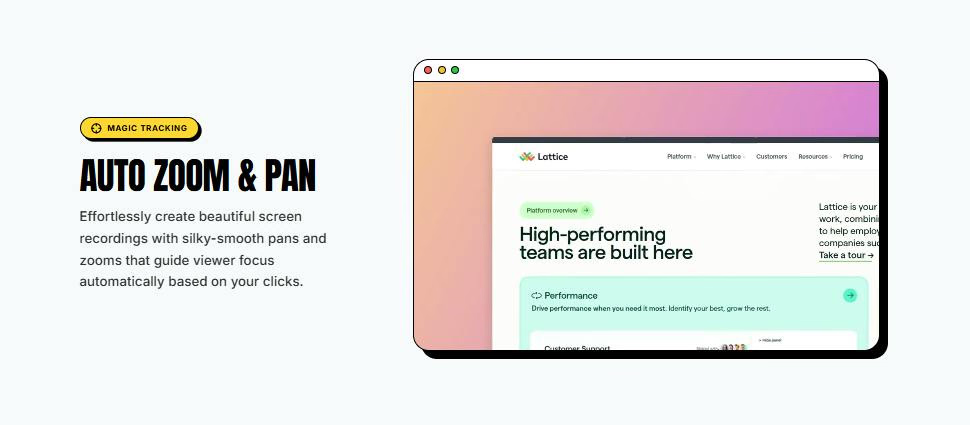
What is Lumiko
Lumiko is a Chrome-based screen recorder that edits footage automatically while you record. It tracks your cursor and clicks to build smooth zoom and pan moves without keyframes, and includes a browser timeline for trimming, splitting, and reordering clips. Additional tools include Smart Blur for hiding sensitive text, a webcam bubble, custom backgrounds, click effects, and exports up to 4K. It runs locally with no account or upload queue and is free to start.
Key Features
Use Cases
- Creating product demos and feature walkthroughs
- Recording tutorials and how-to guides
- Producing bug reports and support explainers
- Sharing internal training and onboarding videos
Why do startups need this tool?
Startups need polished product demos and tutorials without a video-editing learning curve. Lumiko automates the tedious parts — zooms, pans, and click emphasis — while Smart Blur protects sensitive data, making it fast to produce professional-looking screen recordings directly in the browser.
FAQs
Lumiko Alternatives
Other tools in Design and Creative

WayPointo - Curated AI & Creative Product Directory
A high-signal directory for AI and creative products. Submit your product, compare alternatives, and make faster decisio
RMBG PRO — A little AI. A lot of possibility.
Discover the complete creative toolkit: AI, image editing, PDF tools, text utilities and cloud collections.

Screen Studio 4.0
Glass Loupe, Camera Cutout, Edit by Transcript, and more

magpie
everything you’ve saved, in one visual library