
LoneConnect | Smart Lone Worker Safety App
LoneConnect is a modern lone worker safety app built to protect employees who work alone or in high-risk situations, wit
Listing details
HiCyou directory record
- Listed website
- loneconnect.com
- Directory record created
- Nov 16, 2026
- Last record update
- Nov 16, 2026
Listing information
- Overview
- 14 key features
- 10 use cases
This page describes HiCyou's directory record. It is not a security, ownership, or product-quality certification.
Review the external site before sharing sensitive information or making a purchase.
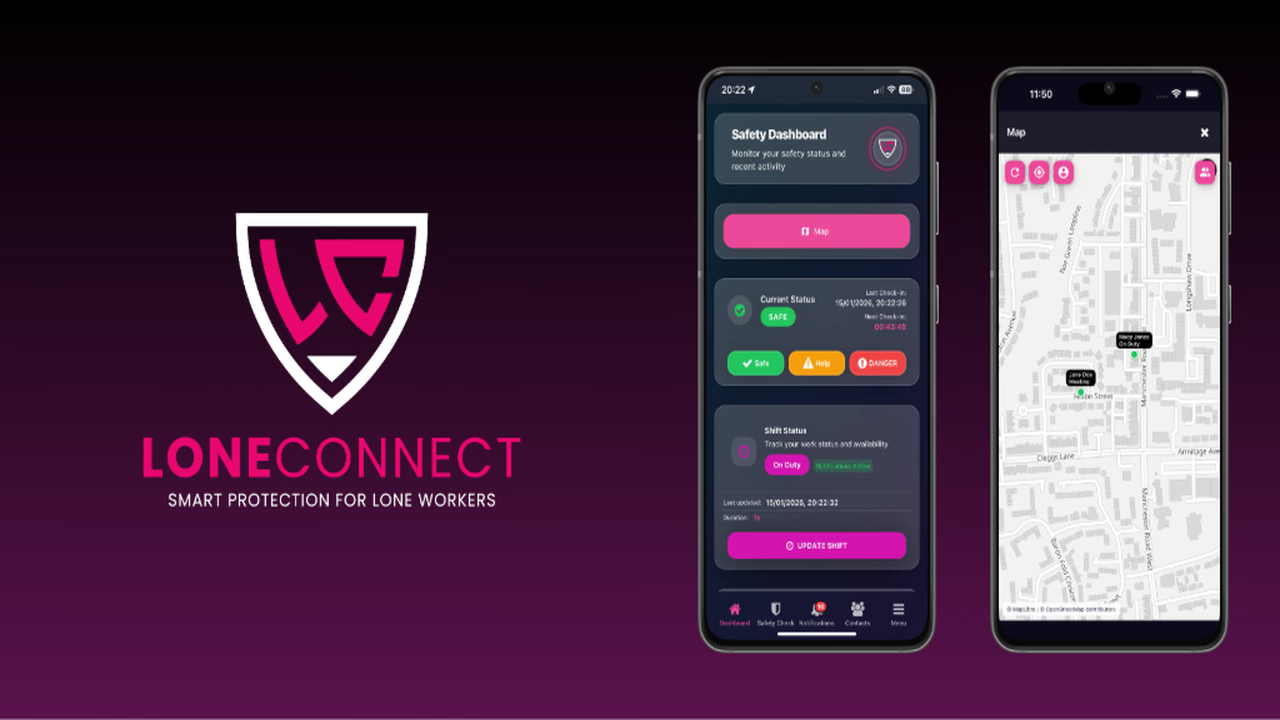
What is LoneConnect | Smart Lone Worker Safety App
LoneConnect is a modern lone worker safety app built to protect employees who work alone or in high-risk situations, with proactive check-ins, live monitoring, and instant escalation.
Key Features
- Safety Check-ins: one-tap status reporting (Safe, Concern, Danger) with automated schedules, reminders and escalation when a response is missed
- SOS & Assistance Requests: hold-to-send emergency alert button that notifies authorised contacts instantly
- Live Location Sharing: real-time GPS so response teams know exactly where help is needed
- Automatic Fall Detection: smartphone motion sensors detect sudden falls and trigger SOS automatically
- Discreet Decoy Modes: calculator and notes-style interfaces for covert access to safety tools
- Duress PIN: secretly signals the response team if the worker is being coerced
- Focus Mode: locks the screen to alert responders in high-risk moments
- Shift Management: start/end shifts with a live timeline of on-duty staff
- Low Battery & Silent Timeout Alerts: fallback protection when the phone dies or the worker goes quiet
- Offline Support: location caching for low-signal areas, syncing when connectivity returns
- Dynamic Risk Workflows: tailored to each role and working environment
- Management Dashboard: secure web portal with audit-ready event history and incident logging
- Real-Time Notifications: instant alerts and status changes routed to designated contacts
- Multi-device support with GDPR-compliant data handling
Use Cases
- - Domiciliary care workers visiting patients' homes alone
- - Field engineers and utilities technicians attending remote or off-grid sites
- - Telecoms installers and repair professionals working at height or underground
- - Mobile patrol officers and overnight security guards
- - Housing officers and estate agents conducting property viewings and inspections
- - Door-to-door field sales reps meeting unfamiliar customers
- - Cleaners, caretakers and mobile facilities maintenance staff
- - Local authority outreach teams and field inspectors
- - Community support staff and home visitors in healthcare
- - Any late-night, isolated or high-risk lone shift
Why do startups need this tool?
- Book a demo or sign up on loneconnect.com and pick a plan (Starter, Pro, Enterprise or Bespoke).
- Download the LoneConnect app on iOS or Android; the employer sets up the web-based management dashboard.
- Admins add workers, assign emergency contacts and configure check-in schedules and risk workflows per role.
- The worker starts their shift in the app before working alone - they appear on the live dashboard timeline.
- The app prompts timed check-ins; the worker taps Safe, Concern or Danger in one tap.
- If a check-in is missed, escalation fires automatically and alerts route to the designated contacts.
- In danger, the worker holds to send an SOS with live location - or uses the duress PIN or calculator/notes decoy mode if they can't act openly.
- If the worker falls and can't respond, automatic fall detection triggers the alert for them.
- Managers monitor everything live, review the audit-ready incident history, and the worker ends the shift when safe.
LoneConnect | Smart Lone Worker Safety App Alternatives
Peoplesafe
Staysafe
SoloProtect
LoneAlert
Sonder Safe