
掲載情報
HiCyou の掲載記録
- 掲載先サイト
- getopenscreen.com
- 掲載記録の作成日
- 2026/10/12
- 記録の最終更新
- 2026/10/12
掲載されている情報
- 概要
- 主な機能 6 件
- ユースケース 3 件
このページは HiCyou の掲載記録を示すものであり、セキュリティ、所有権、または製品品質を認証するものではありません。
機密情報を共有したり購入したりする前に、外部サイトを確認してください。
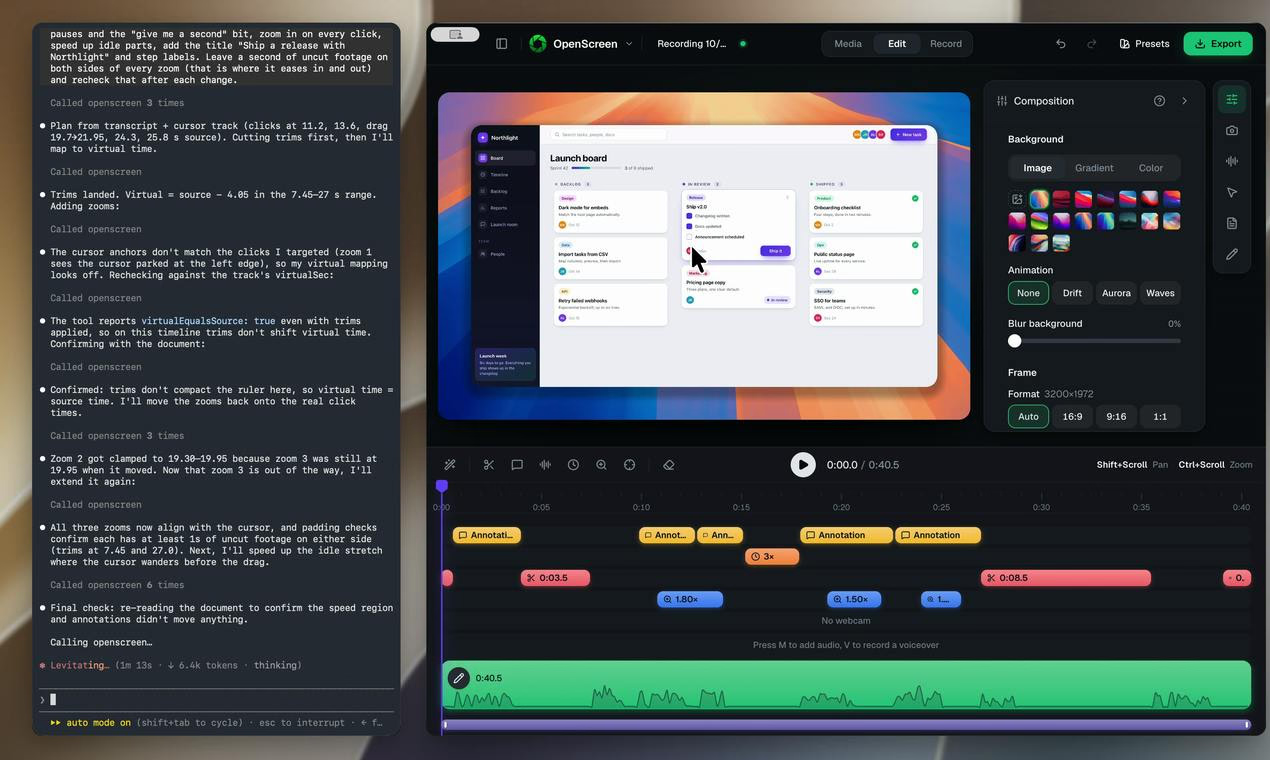
OpenScreen 2とは
OpenScreen 2 is a free, open-source screen recorder and video editor that helps you create polished demo videos on the first take. It automatically plans zooms based on your clicks, smooths the cursor, and adds 3D camera moves, cursor themes, styled backgrounds, and webcam layouts. You can let its AI agent handle edits over MCP or edit manually by deleting words in the transcript. Available for Windows, macOS, and Linux under the MIT license, with no account or watermark required.
主な機能
ユースケース
- Recording polished product demos
- Creating tutorial and walkthrough videos
- Quickly editing screen recordings without video editing experience
スタートアップにこのツールが必要な理由
OpenScreen 2 helps startups produce professional demo and tutorial videos quickly, without paid editing software or watermarks, thanks to automated zooms, AI-assisted editing, and an open-source, cross-platform release.