Resolution & DPI Changer
Change Android screen resolution and DPI with auto-restore
Informations de la fiche
Fiche d’annuaire HiCyou
- Site web répertorié
- abetterandroid.com
- Fiche d’annuaire créée
- 5 nov. 2026
- Dernière mise à jour de la fiche
- 5 nov. 2026
Informations incluses dans la fiche
- Présentation
- 6 fonctionnalités clés
- 3 cas d’usage
Cette page décrit la fiche d’annuaire HiCyou. Elle ne constitue pas une certification de sécurité, de propriété ou de qualité du produit.
Vérifiez le site externe avant de partager des informations sensibles ou d’effectuer un achat.
Qu'est-ce que Resolution & DPI Changer
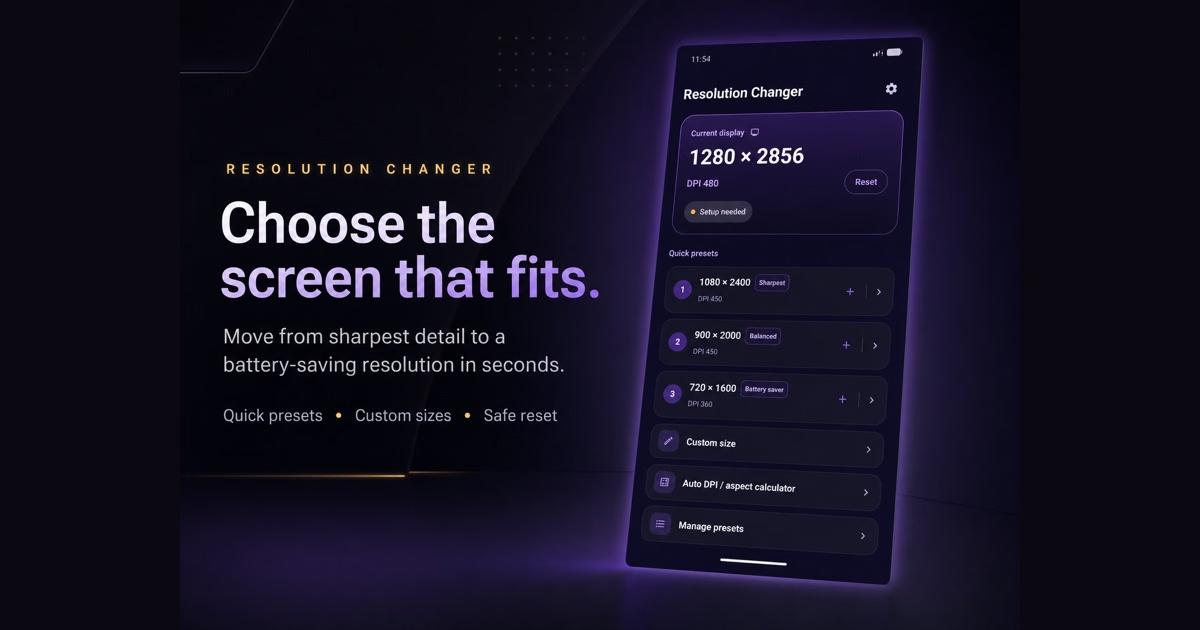
Resolution & DPI Changer lets you read and change the logical screen resolution and display density (DPI) Android uses. Every change starts as a timed test: the app records your current values and restores them automatically when the test ends, so an unusable value fixes itself.
You can save presets, calculate proportional resolution and DPI values, and add a Quick Settings tile, a launcher shortcut, or Tasker actions. Emergency ADB reset commands stay one tap away.
Android restricts display overrides, so the app needs a setup route first. Depending on your device and Android version, that is Shizuku, Wireless Debugging, a one-time permission grant from a computer, or root. Which routes work varies by manufacturer and software version.
The app changes logical overrides only. It cannot add physical pixels or raise the panel's native PPI.
Free on Google Play (contains ads and in-app purchases). Android only.
Fonctionnalités clés
Cas d'utilisation
- Check how app layouts behave at other screen densities
- Make the UI smaller to fit more on a large phone
- Make text and controls larger for readability